
Here is a free and easy way to get your art directly on your iPad with no hassle. Scanners can be expensive for new artists, but there are free alternatives out there on the web.

1. Draw your Line Art
Draw to your heart’s content. For the sake of this tutorial I am using the line art from a previous tutorial I made that was all about making traditional line art.
2. Download the FREE iScanner App
I used two apps for demonstration purposes. The first app was bundled with my platen glass scanner in my home office. While the second was the free iScanner app. Below is a side by side comparison of the platen glass(top) and the iScanner app(bottom). I was honestly surprised at how well the iScanner app performed when I first downloaded it. I could have easily used either scan for the final work. The iScanner app has the slight disadvantage of being limited to the 12 megapixel camera on the iPad. But if you are making webcomics, or you are used to doing digital paint overs, the iScanner app is going to suit you exceedingly well!


3. Import new scan to Procreate
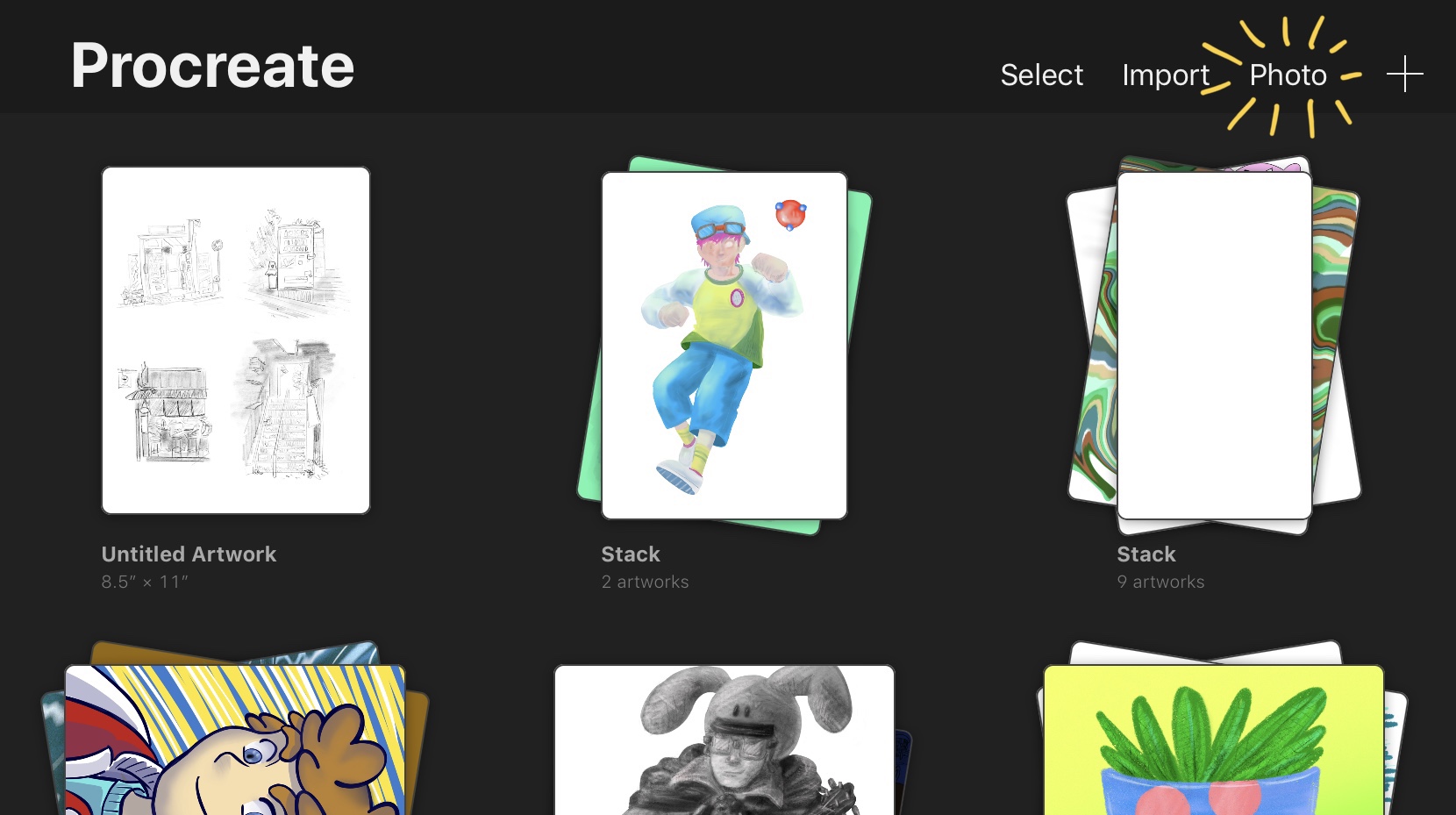
Procreate is an amazing, affordable, and powerful digital painting tool that turns your iPad into a canvas when paired with the Apple Pencil. Follow the steps below to import a photo to your Procreate canvas so you can finish your masterpiece. Simply open the gallery and select Photo and then browse your camera roll for the scanned image from iScanner.

4. Add the finishing touches
Take you time and enjoy the rest of your creative process. My finished piece is below. If you like tutorials like this feel free to visit our home page. If you have questions or suggestions for future topics feel free to email at dallasdraws@gmail.com

 Growth Spurt Creative